.png)

Never Pay Supplier Bills From a Statement Again

Paying supplier bills from a statement feels quick. It feels practical. It feels like the sensible thing to do when the supplier has kindly added everything up for you.
It is also one of the easiest ways to pay the same bill twice.
For a busy small business owner, the problem usually starts innocently. An invoice arrives with a delivery. Another comes by email. One might be attached to a bag of stock, another tucked into packaging, another sent after a phone order. You put them somewhere “safe” and get back to running the business.
Weeks later, the supplier rings. You ask what you owe, pay the amount, and move on. A statement arrives after that, showing the same invoices. Later, when you finally sit down to pay accounts, you use the statement balance and pay again.
That is how bookkeeping rubbish builds up. It is also how cash flow leaks away.

A supplier statement is not the bill
A supplier statement is a summary. It usually lists invoices, credits, payments, and the balance the supplier believes is outstanding at a certain date.
That sounds useful, and it is. But it is not the same as an invoice.
An invoice is the document that records a specific purchase. It shows what was supplied, when it was supplied, the amount charged, GST if applicable, and the payment terms. That is the document you should enter into your accounting records.
A statement should be used to check your records, not replace them.
Think of it this way:
Invoice | Statement |
Records one purchase or charge | Summarises several transactions |
Should be entered into your accounts payable | Should be compared against your accounts payable |
Supports what you bought and what you owe | Helps find missing, duplicated, or unpaid invoices |
Used to approve and pay a supplier bill | Used to reconcile supplier accounts |
If you pay from the statement alone, you skip the checking step. That is where problems creep in.
The double payment trap is common
Many small businesses buy from the same suppliers several times a month. A café may have running accounts with food wholesalers, packaging suppliers, a linen service, and a drinks distributor. A tradie may buy materials from plumbing, electrical, timber, or hardware suppliers several times a week.
When invoices arrive in different ways, it becomes hard to know what is already handled.
A typical mess looks like this:
A delivery arrives with an invoice attached.
The invoice gets placed in a tray, folder, glovebox, or drawer.
A few weeks pass.
The supplier rings chasing payment.
The business owner pays the amount over the phone or by bank transfer.
A statement arrives showing the same invoices.
The statement gets added to the pile.
At bill-paying time, the statement balance gets paid.
The result is simple and painful. Some invoices have now been paid twice.
If the supplier notices and tells you, you may receive a credit or refund. Some will. Some may not. In many cases, the overpayment sits on the supplier account until someone finds it. That could be months later, or only when a bookkeeper starts untangling the account.
Double payments do not always look obvious. They can hide under:
Rounding differences
Credits not applied
Missing remittance advice
Duplicate invoice numbers entered slightly differently
Payments made from different bank accounts
Supplier statements that include old balances
This is why paying from statements is risky. It relies on memory, timing, and goodwill. None of those are a bookkeeping system.

Your memory is not an accounts payable system
Many business owners carry a lot in their head. They know who owes them money, what stock is running low, which jobs are urgent, and which suppliers usually need paying first.
That works until volume increases.
Once you buy from regular suppliers more than once a month, memory becomes unreliable. You may know roughly what you owe, but “roughly” is not enough when cash flow is tight.
Good accounts payable records should answer these questions quickly:
Which supplier invoices are unpaid?
How old is each bill?
What are the payment terms?
Which invoices are due this week?
Which invoices are disputed or waiting on a credit?
Has this invoice already been paid?
Does the supplier statement match the business records?
If those answers live in a pile of paper, an email inbox, and someone’s memory, mistakes become expensive.
This is not about being perfect. It is about having a simple routine that stops avoidable errors.
Enter every supplier invoice when it arrives
The best habit is also the plainest one. Enter every supplier invoice into your accounting software as soon as possible after it arrives.
That includes invoices received:
With deliveries
By email
Through supplier portals
By post
From staff who collected goods
From subcontractors or regular service providers
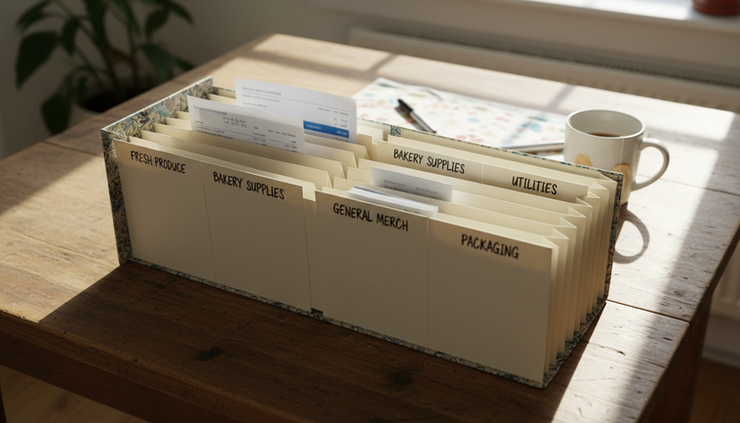
If you cannot enter it straight away, create one reliable holding place. That might be a concertina folder, an arch lever folder, a labelled tray, or a digital inbox. The method matters less than the consistency.
What matters is that every invoice goes through the same process.
When entering the invoice, check the main details:
Supplier name
Invoice number
Invoice date
Due date or payment terms
GST amount
Total amount
Account or expense category
Job, location, or project code if you use them
Most accounting software can warn you if an invoice number has already been entered for the same supplier. Do not ignore that warning. It may be the software saving you from a duplicate bill.
If a supplier sends both an invoice and a later copy of the same invoice, mark the copy clearly as a duplicate or file it with the original. Do not enter both.
Use the statement as a checking tool
When the supplier statement arrives, do not treat it as the thing to pay. Treat it as the thing to reconcile.
Open your accounting software and run the Accounts Payable report, often called an A/P report or unpaid bills report. Then compare your records with the supplier statement.
You are looking for a match between:
The invoices listed on the statement
The unpaid bills in your system
Any credits shown
Any payments already made
The final balance owing
If the statement balance matches your accounts payable balance, you can be more confident that your records are complete.
If it does not match, stop and investigate before you pay.
Common reasons for differences include:
Difference | What it may mean |
Invoice appears on the statement but not in your software | You did not receive it, did not enter it, or it was filed incorrectly |
Invoice appears in your software but not on the statement | The supplier may have issued a later statement date, or the invoice may belong to another account |
Same invoice appears twice in your software | A duplicate invoice was entered |
Payment appears in your bank but not on the statement | Supplier may not have allocated the payment yet |
Credit appears on the statement but not in your software | A credit note needs to be entered |
Statement includes an old balance | Past payments or credits may not have been matched properly |
Only pay the invoices that are properly supported and outstanding in your own records.
That way, when you pay invoice amounts, you are paying confirmed bills, not trusting a summary that may include items already handled.
Build a simple bill payment routine
A good routine does not need to be complicated. It needs to be repeated.
For many small businesses, a weekly accounts payable routine works well. If the business has high purchase volume, twice a week may be better. If purchase volume is low, fortnightly may be enough.
Here is a practical process.
1. Collect all invoices in one place
Choose one physical place and one digital place.
For paper invoices, use a folder, tray, or envelope that is only for supplier bills. For emailed invoices, set up a dedicated email folder such as `Supplier Bills` or forward them to your accounting software if it supports that feature.
Avoid mixing invoices with statements, quotes, delivery dockets, and personal paperwork.
2. Enter invoices before payment
Do not pay first and enter later. That is how bills get missed, duplicated, or coded incorrectly.
Enter the invoice, attach the source document if your software allows, then mark it for payment based on due date and cash flow.
3. Check supplier terms
Supplier terms matter. Some suppliers expect payment in 7 days. Others may allow 14 days, 30 days, or end of month terms.
Knowing the terms helps you avoid late fees, supply holds, and awkward phone calls.
It also helps protect cash flow. Paying every bill the day it arrives can strain the bank account. Paying late can damage supplier relationships. The goal is to pay on time, not randomly.
4. Reconcile the statement
When the statement arrives, compare it with your accounts payable report.
If everything matches, file the statement as checked. If it does not match, mark it for follow-up.
Do not pay the statement balance just because it is printed in bold.
5. Prepare a payment batch
Select the bills that are due and approved for payment. Use the supplier invoice numbers in the payment reference where possible, or provide a remittance advice.
This helps the supplier allocate your payment correctly. It also makes it easier to trace payments later.
6. Record the payment immediately
Once the payment has been made, record it in the accounting software or match it through your bank feed.
A payment that sits unallocated can create confusion. It may look as though the invoices are still unpaid, even though the money has left the bank.
What to do when the statement does not match
A mismatch is not a failure. It is a warning light.
Do not ignore it and do not guess. Work through the difference until you understand it.
Start with the invoice numbers. Match each statement line to your unpaid bills report. Tick off the invoices that agree. Then look at what remains.
If an invoice is on the statement but missing from your records, ask the supplier to resend it. Do not enter a charge from the statement alone unless you have enough detail and supporting records to prove what it relates to.
If an invoice is in your records twice, delete or reverse the duplicate, depending on your software and accounting process.
If a payment is missing from the supplier statement, send the payment details to the supplier. Include the date, amount, bank reference, and any remittance advice.
If a credit note is missing, ask the supplier for a copy and enter it properly.
Keep notes on the supplier account when you investigate. A short note can save a long conversation later.
For example:
Statement checked to 31 May. Invoice 45821 missing from our records, supplier asked to resend. Payment of $642.80 made on 28 May not yet allocated by supplier.
That kind of note gives you a clear trail.
Why this matters for cash flow
Positive cash flow is hard enough without paying the same supplier twice.
Even a small duplicate payment can cause problems if wages, rent, BAS, insurance, or stock purchases are due in the same week. Larger duplicate payments can leave the business short for essentials.
Poor accounts payable habits can also create hidden costs:
Time spent chasing old paperwork
Bookkeeping cleanup fees
Supplier disputes
Missed early payment discounts
Late payment fees
Stock delays if accounts are put on hold
Unclear profit reports because expenses are duplicated
What looks like a small admin shortcut can become a real cash flow problem.
Accurate supplier records also help you understand the business. If bills are entered properly, your reports show expenses in the right month. That gives a clearer view of profit, margins, and upcoming commitments.
This article is general bookkeeping information only. For advice about your own tax, reporting, or accounting obligations, speak with a qualified professional.
The rule is simple
Never pay supplier bills from a statement alone.
Enter the invoices. File them properly. Reconcile the supplier statement against your accounts payable report. Then pay the bills that are confirmed, due, and unpaid.
A statement is useful, but it is not your bookkeeping system.
If your current process is a pile of invoices, a few email folders, and a hope that the supplier balance is right, start small. Pick one regular supplier this week. Gather the invoices, enter any missing bills, check the statement, and fix the differences.
Then do the same with the next supplier.
Control does not come from knowing everything off the top of your head. It comes from having records you can trust when the bills arrive.


Comments